
Convert an offer into a sale
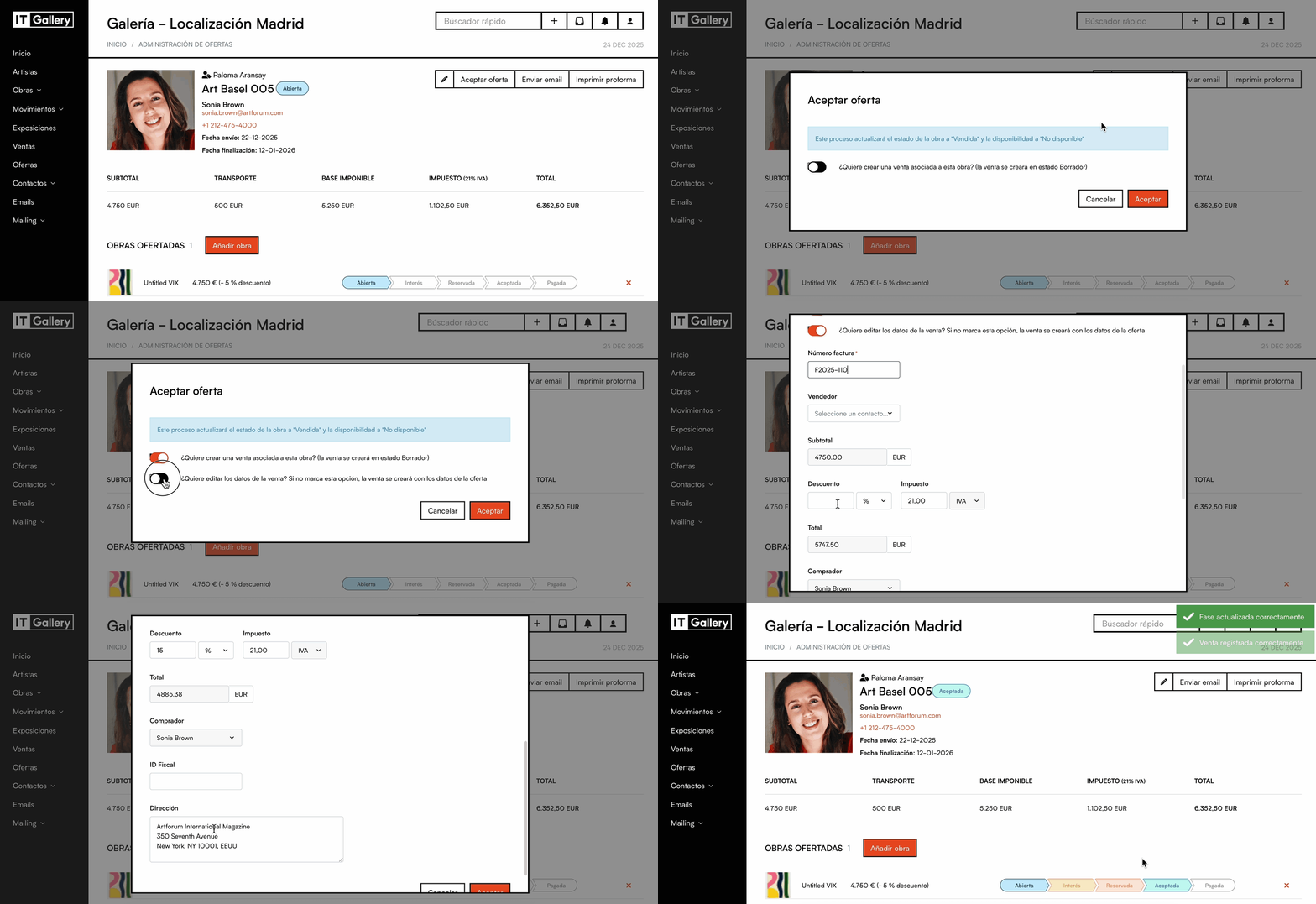
ITGallery lets you convert successful offers directly into sales.
This way the sale is recorded automatically and you save time.
Steps
- In the 'Offers' module, open the details of the offer you want to record as a sale (by clicking on the offer reference)
- Click the 'Create sale' button. A sale will be generated automatically (and will appear recorded in its corresponding module) with the data from the offer
- If the offer already has a linked sale, the button will change to 'View sale'.*
* Bear in mind that the sale will be recorded with the reference code of the offer. For any change you want to make or data you want to add, remember to do it from the 'Sales' module.