
Set up autonumbering
Set up autonumbering so that ITGallery automatically suggests the next number in certain fields of the account.
Autonumbering is part of the general settings of the account. It helps keep an orderly sequence in the codes, references or numbering used within ITGallery.

- Click the user menu.
- Go to My Gallery or My collection.
- Open Configuration.
- Select Autonumbering.
- Review the numbering options available.
- Set the relevant value in each case.
- Save your changes.
What autonumbering is for
Autonumbering lets the system automatically propose the next available number for certain items. You can set it up for:
- Invoices
- Credit notes
- Receipts
- Contact codes
- Artwork inventory ID
Set up automatic artwork numbering
Automatic artwork numbering lets you generate the inventory ID automatically using a general sequence for all artworks, without depending on the prefix assigned to each artist.
It is a useful alternative if you prefer to work with uniform numbering across all the artworks in your database.
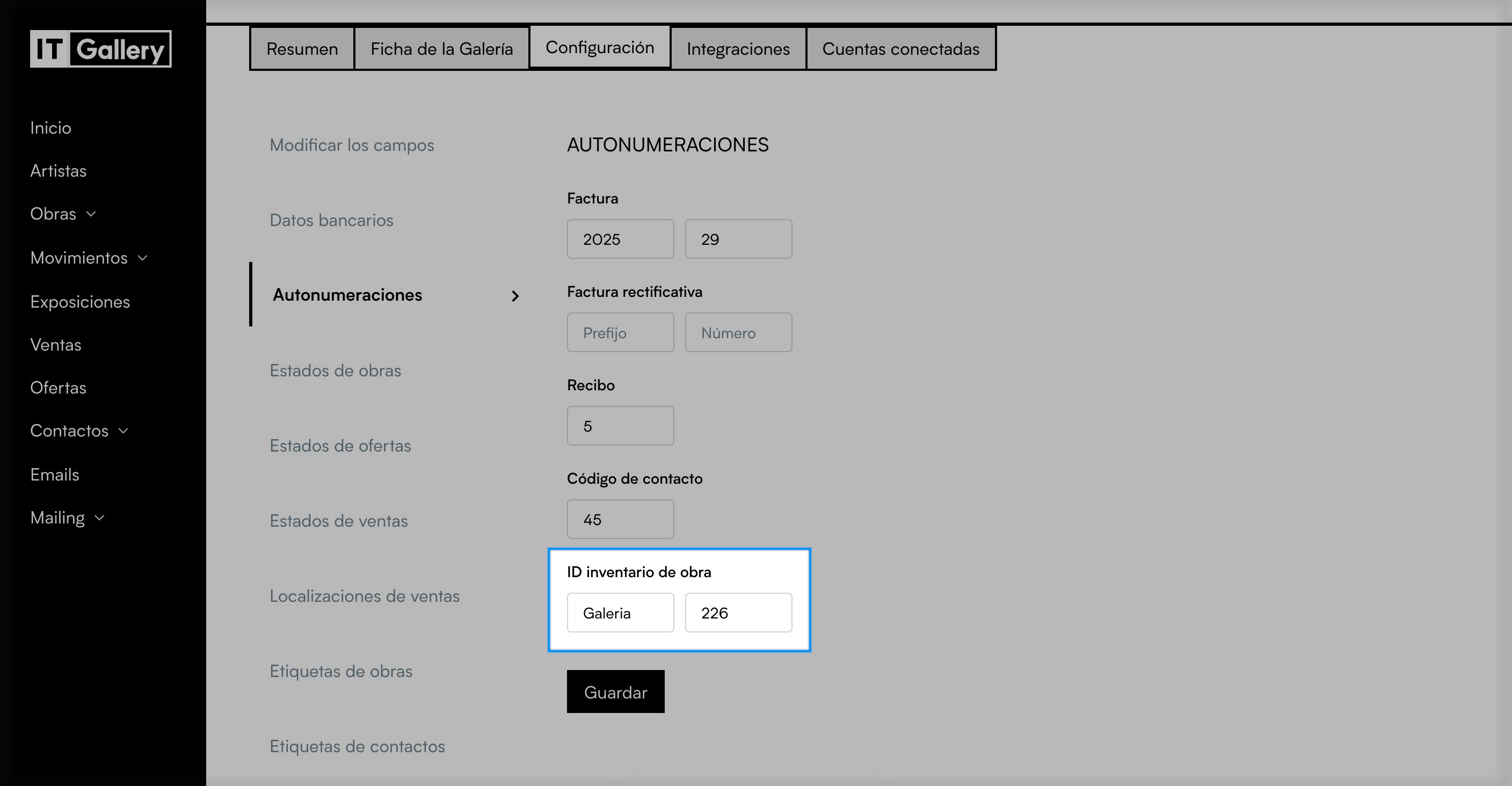
How to reach the settings
- Go to My Gallery.
- Open Configuration.
- Click Autonumbering.
What this option is for
- Automatically generate the inventory ID of new artworks.
- Use general numbering across the whole database.
- Keep a consistent reference system.
- Avoid depending on different prefixes for each artist.
Relationship with the artist prefix
- If you use the Artist prefix, the ID can be generated linked to each artist.
- If you use Autonumbering, the system follows a general sequence for all artworks.
- You can choose whichever option suits the way you work.